Personalized videos at scale used to mean one of two things: a team of reps recording the same intro again and again, or a generic video with a first name flashed on screen. The first burns hours. The second feels like a mail merge.
There is a third route. You record once, and AI generates a version for every contact, with their name spoken in your voice and your lips matching the words. This guide walks through the workflow end to end, including the details that usually get skipped: script placeholders, recording habits that make name-swaps sound natural, CSV prep and QA.
Why recording videos one by one doesn't scale
Even a 30-second personal video involves more than 30 seconds of work. You look up the contact, rehearse the opening, record, redo the take where you stumbled, export, upload and paste the link into a message. Multiply that by a few hundred contacts and the task stops being outreach and becomes a production job.
Three problems show up quickly:
- Fatigue changes the quality. Video number 5 sounds energetic. Video number 85 sounds tired. Your prospects can hear the difference.
- The long tail gets nothing. Teams end up recording for their top accounts and sending plain text to everyone else.
- Timing slips. A webinar follow-up, an onboarding welcome or a renewal reminder loses value if it arrives a week late.
The usual compromise is to record fewer videos or skip video altogether. The idea of one video, many versions removes that trade-off. You do the careful work once, and the system handles the repetition.
How AI personalized video works (voice cloning + lip-sync, in plain terms)
AI personalized video combines two techniques, and neither is as mysterious as it sounds.
Voice cloning builds a model of your voice from your recording. Once the model exists, it can speak a word you never said, such as a contact's name, in a voice that matches yours in tone and pace. This is what makes a voice cloning video feel like one continuous recording instead of a patched-together clip.
Lip-sync adjusts the mouth movements in your footage so they match the new audio. Without it, you would see your lips form one name while hearing another. Lip sync video personalization fixes that mismatch.
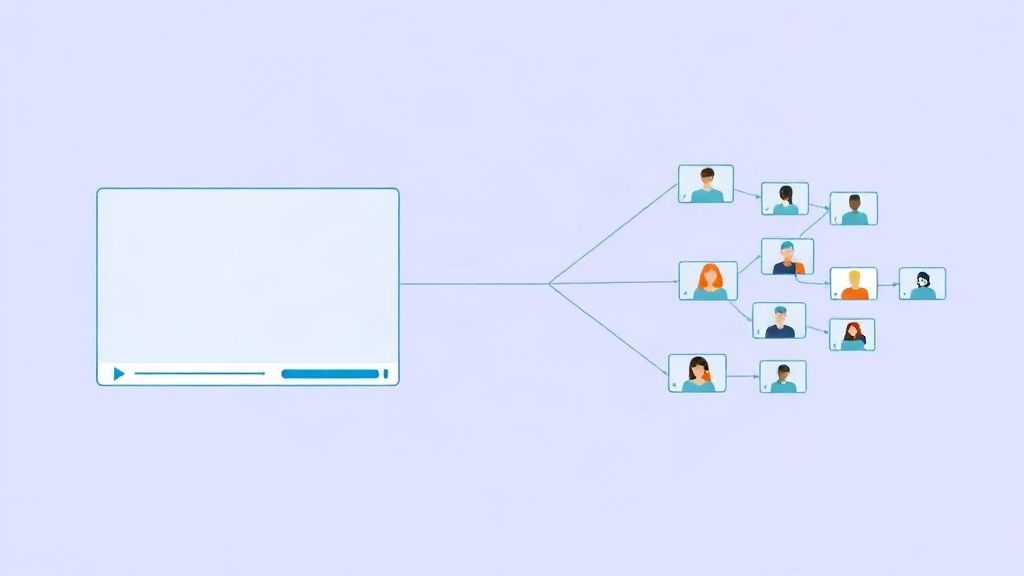
Put together, the process looks like this:
- You record a video (or audio) with a placeholder where the name goes.
- The system marks that segment and keeps the rest of your footage as recorded.
- For each contact, it generates the name in your cloned voice and syncs your lips to it.
- You get a separate file or link for every person on your list.
Some platforms also support interactive, branching videos. The viewer clicks a button, such as 'See pricing' or 'Book a call', and the video continues down the matching path.
This works best with clear audio, a front-facing camera and steady framing. It is not magic: unusual names and sloppy recordings still need attention, which is why the steps below matter.
Step-by-step: from one recording to personalized videos at scale
The workflow has five stages. Skipping any of them is where most teams end up with videos that feel off.
As a concrete example, Personaliz.ai is built for this process. You record one video or audio with a name placeholder, upload your contact list, and the platform generates personalized versions using voice cloning and lip-sync. You can then share them through email, WhatsApp or LinkedIn, and add interactive branching if you want viewers to choose their own path. The principles below apply to any tool, though.

Write a script with a name placeholder
The script decides how natural the final videos sound. Write it for spoken delivery, not for reading.
A simple example for a post-webinar follow-up:
Hi {first_name}, thanks for joining us yesterday. I wanted to say that quickly, {first_name}, because your question about onboarding was one the whole team talked about afterwards. I've put a short summary and a link to book time with me right below this video. Talk soon.
A few rules keep placeholders from causing trouble:
- Use the name once or twice. Early in the video is the strongest spot. Five mentions sound like a sales script.
- Keep the name at a natural boundary. Place it after a greeting or at the start of a sentence, where a short pause is normal.
- Avoid grammar that depends on the name. Possessives ('{first_name}'s team'), nicknames and sentences that change form around the name are harder to swap cleanly.
- Keep the rest generic but relevant. If you want company or role details, put them on the landing page or in on-screen elements rather than in speech, unless your tool supports spoken variables.
- Write short sentences. They are easier to deliver consistently and easier to trim later.
Record so the name-swap sounds natural (pause, tone, framing)
Most bad personalized videos fail at recording, not at generation. These habits help.
Pause. Leave a clear, relaxed beat before and after the name placeholder. Follow your tool's guidance on how to say the placeholder. Whatever method you use, do it the same way in every take.
Tone. Deliver the name segment at the same energy and pitch as the words around it. If you drop your voice or rush through it, the swapped name will inherit that awkwardness. Aim for a warm, even tone.
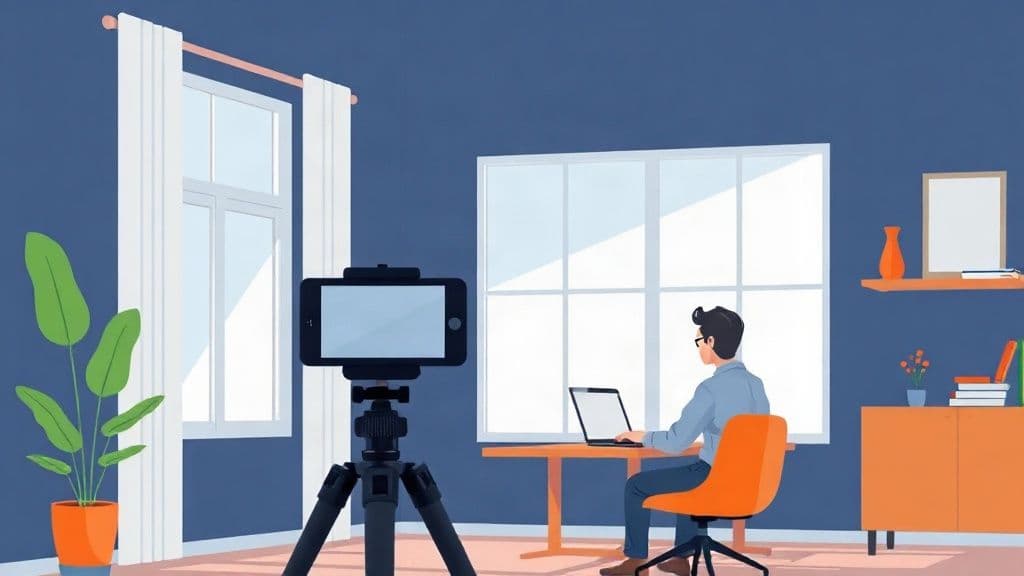
Framing. Keep your face centered and your mouth clearly visible. Avoid turning your head, covering your mouth with a hand or leaning in and out during the name. Use a tripod or a stable surface, soft front lighting and a quiet room. A simple external microphone often improves voice cloning quality more than a better camera does.
Takes. Record two or three full takes. Pick the one where the name moment is calmest, not the one where the rest is most dynamic.
Prepare your contact list (CSV columns, name pronunciation)
Your CSV is the fuel for every video, so clean data pays off. A practical set of columns:
| Column | Purpose | |---|---| | first_name | The name spoken in the video | | last_name | Used for CRM matching and reporting | | email | For email delivery | | phone | For WhatsApp, with the country code | | company | For the landing page or on-screen text | | linkedin_url | For LinkedIn outreach | | pronunciation | A phonetic spelling for tricky names |
Before uploading, run through a quick clean-up:
- Split full names into first and last name columns.
- Fix capitalization and strip extra spaces.
- Replace formal names with the ones people actually use, if you know them.
- Remove duplicates and obviously broken rows.
- Standardize phone numbers.
For names that are easy to mispronounce, fill in the pronunciation column with a phonetic spelling, for example writing Siobhan as 'Shi-vawn'. Even if your tool does not have a dedicated field, keep the column for your own review list so you know which videos to check first.
Generate, spot-check and fix
Do not run the whole list first. Generate a small test batch of 10 to 20 contacts and include your hardest cases: long names, short names, names from different languages, and names with unusual spelling.
Watch and listen to each one, ideally on a phone speaker, since that is how many people will hear it. Check for:
- Name pronunciation
- Sudden jumps in volume, pitch or pace around the name
- Lip movement that drifts from the audio
- Awkward pauses that are too long or too short
When something is off, the fix is usually one of these: adjust the phonetic spelling, re-record with a longer pause or calmer tone, or trim the script so the name sits somewhere easier. Re-generate the test batch and repeat until the problem cases sound right. Then run the full list and review a random sample from it.
Share via email, WhatsApp or LinkedIn with a landing page
Give each contact a link, ideally a personal landing page with the video, a short summary and one clear call to action, such as booking a call or replying. Unique links also let you see who watched.
- Email: Use a short message and a thumbnail or preview image that links to the page. Mention the video in the subject line only if it fits your tone.
- WhatsApp: Send only to contacts who have agreed to hear from you there. Keep the message to two or three lines plus the link.
- LinkedIn: Use it for connections or warm contacts, with a short note that explains why you are sharing the video.
The landing page is also where you can add the details that are awkward to say aloud, such as the company name, a relevant case study or a meeting calendar.
Quality checklist before you send
Run through this list before you send bulk personalized video messages:
- [ ] The script sounds like speech and uses the name only once or twice.
- [ ] The name moment has a clear pause and matching tone in the recording.
- [ ] Audio is clean, with no echo or background noise.
- [ ] Every row in the CSV has a first name, a valid contact method and no duplicates.
- [ ] Tricky names have been checked or given a phonetic spelling.
- [ ] A test batch was reviewed on a phone, not just on a laptop.
- [ ] A random sample from the full batch was spot-checked.
- [ ] The landing page loads quickly on mobile and has one clear next step.
- [ ] Contacts have agreed to receive messages on the channel you are using.
- [ ] The message does not claim anything untrue, such as saying you recorded the video just for them if you did not.
Measuring results (views, replies, meetings)
A personalized video is only worth the effort if it moves people toward a conversation. Track the whole path, not only the first click.
- Views: Play rate (how many opened the video) and watch time (how far they got). Low play rate points to the message or thumbnail. Low watch time points to the script or length.
- Clicks: How many people clicked your call to action on the landing page.
- Replies: Count replies by channel, and note whether they are positive, neutral or negative.
- Meetings: Tag meetings in your CRM with the campaign so you can attribute them correctly.
Compare against a control group that received the same message without video, if your volume allows. Test one variable at a time, such as the first five seconds, the video length or the call to action, and give each test enough sends before drawing conclusions. Segment by channel too, since email, WhatsApp and LinkedIn often behave very differently.
FAQ
Can AI pronounce unusual names correctly?
Often, but not always. Common names are usually fine. Rare names, names from less common languages and names with irregular spelling are where errors appear. Use a pronunciation column with phonetic spellings, test those names first and fix anything that sounds wrong before sending the full batch. For high-value contacts, check the video personally.
How long should a personalized video be?
Short enough to deliver one idea and one next step. For cold or first-touch outreach, aim for a brief video that gets to the point quickly. For onboarding or customer updates, viewers tolerate more length if the content is useful. Use your own watch-time data to find the right length, and keep the name and the reason for the video in the first few seconds.
Is it ethical to use a voice clone of myself?
Yes, when you do it responsibly. Only clone your own voice, or a voice with explicit permission. Do not use the clone to say things you would not say yourself, and do not pretend you recorded each video individually if someone asks. Many teams add a light line such as 'I recorded this once and personalized it for you' to stay transparent. Follow the consent and privacy rules that apply to your contacts and your region.
How many personalized videos can I send per day?
Video generation is rarely the limit. The channel is. Email providers, WhatsApp and LinkedIn each have their own sending rules, and your sender reputation matters. Start with smaller batches, watch for bounces, complaints and blocks, and increase volume gradually. Check each platform's current policies rather than relying on a fixed number.
Start small, then scale
The process is simple to repeat: write a script with a placeholder, record it carefully, clean your CSV, test, fix and send with a landing page. Run your first campaign on a small list, learn where the rough edges are, then scale up with confidence. The aim is not more videos for their own sake. It is a message that feels personal to every person who receives it.