Most founder-led outbound dies in the inbox. Your email sits among dozens of near-identical pitches, and a prospect decides in seconds whether you're a person or a template.
Personalized video outreach is one way to show you're a person. A short clip with the prospect's name, a specific reason you're writing, and one clear ask can get replies that plain text doesn't. But it isn't right for every lead, and it can backfire when done lazily.
This playbook is for founders sending 50 to 500 messages a week without an SDR team. It covers who deserves video, what to say in 45 seconds, how to deliver it, and how to scale without losing the personal feel.
When personalized video outreach is worth it (and when plain text wins)
Video costs you more than text: recording time, hosting, and a bigger ask of the prospect's attention. Spend it where it pays off.
Video tends to work well when:
- The deal is high-value, so a few minutes of effort per prospect is easy to justify.
- Your product is visual or easy to misunderstand in writing, such as a dashboard, workflow or integration.
- Trust matters. Selling to a buyer who has never heard of your startup is a good example.
- Your text emails are being ignored and you want to test a different format.
Plain text usually wins when:
- The prospect is a senior executive who skims email on mobile in short bursts and wants a two-line pitch.
- You have nothing specific to say. A video that says "I love what you're doing" is worse than a sharp text email.
- Your list is large and poorly researched. Video won't fix weak targeting.
- The buyer's company blocks external video links or has strict email security.
Treat video as a precision tool, not a replacement for your whole sequence. Mixing formats is often the best approach: text for first touches on low-priority leads, video for the accounts you most want.
Picking the right prospects for video
The most common mistake in video prospecting is sending video to everyone. Segment first, then match effort to value.
A simple three-tier model works for a founder with limited time:
- Tier A: dream accounts. Record a fully custom video. Reference their site, product, hiring, or a recent post. Keep this to a small number each week, perhaps 10 to 20.
- Tier B: strong-fit accounts. Use one recorded video built around a shared problem, with the prospect's name and company swapped in. The message stays true to the segment, and the greeting is personal.
- Tier C: everyone else. Send text only. Save video for follow-ups if they engage.
These numbers are an example, not a benchmark. Adjust them to your available hours.
To decide who lands in Tier A or B, ask three questions:
- Does this person feel the problem we solve right now? Look for a trigger such as a funding announcement, a new hire in the relevant function, or a tool change.
- Can I find one real, specific detail about them or their company in under two minutes?
- If they replied, would it be worth a call?
If the answer to all three is yes, record video. If you can't answer the second question, don't fake it. Move them to text.
A 45-second script structure that gets replies
Forty-five seconds is roughly 100 to 120 spoken words. That's enough for one idea and one ask, and short enough that people finish watching. Aim for a conversational tone, not a polished ad.
The first 5 seconds
The opening decides whether they keep watching. Say their name, who you are, and why they should care, all in one breath.
"Hi Priya, I'm Dev, founder of a small tool that helps finance teams close the month faster. I recorded this just for you."
Avoid long intros, weather chat, or "hope you're well." Look at the camera, smile, and start talking. A recognizable face and an audible name already set you apart from a text pitch.
One specific reason you're reaching out
This is the part that makes the video feel earned rather than mass-produced. Give one concrete reason, tied to something real.
- A role change: "I saw you recently took over RevOps at Northwind."
- A public signal: "Your team posted about moving off spreadsheets for forecasting."
- A segment-level problem: "Most ops leads I talk to are stuck reconciling data from three tools before every weekly review."
Then connect it to what you do in one sentence. Resist the urge to demo every feature. If you show your screen, show one thing for a few seconds, and only if it supports the reason you gave.
A single low-friction ask
End with one question that's easy to answer. Don't ask for a 30-minute meeting from a stranger.
- "Is this a problem on your plate this quarter? A one-word reply is fine."
- "Want me to send a two-minute walkthrough of how it'd work for your team?"
- "Should I send over a short example using your current process?"
Repeat the ask in the email text so it's visible without pressing play. A low-friction ask is one of the simplest ways to increase cold email reply rate, because it reduces the effort of saying yes.
Full script skeleton (about 45 seconds):
- Name, who you are, why this video exists (5 seconds).
- The specific reason (15 seconds).
- What you do, tied to that reason (15 seconds).
- The ask (10 seconds).
Record in one or two takes. Slight imperfections read as human.
Delivery: email, LinkedIn and WhatsApp (thumbnail, subject line, landing page)
A great video fails if it's delivered badly. Each channel has its own habits.
In cold email video, the thumbnail and subject line do most of the work.
- Subject line: Keep it short, plain and specific. Mentioning the prospect's name or company, or a word like "video", can help, but avoid clickbait. Test a few variants.
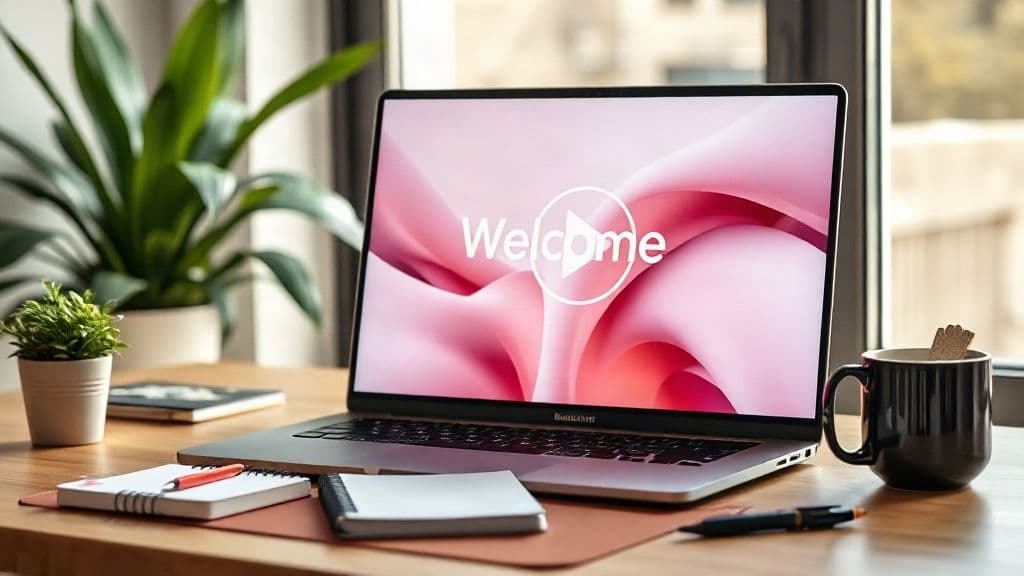
- Thumbnail: Use a still frame of your face with the prospect's name visible, such as on a whiteboard or a sticky note. Add a play button overlay.
- Link to a landing page: Send a link to a simple page with the video, a short summary in text, and one button (book a call or reply). This gives skimmers a way in without pressing play.
- Body copy: Three or four lines. Say what the video covers and repeat the ask.
LinkedIn video outreach works best after some warm-up. View their profile, engage with a post, or send a connection request first. Then send a short message with a link or a native video note. Keep the text brief and lead with the reason you're reaching out, not your pitch.
WhatsApp is a common business channel in many markets, including India, but it's personal space. Use it when the prospect has opted in or you've already spoken, for example after a form fill, a prior conversation or an event. Send a short voice or video note with a clear opening line, and respect any request to stop messaging.
Across all three channels, keep the landing page lightweight and mobile-friendly. Many prospects will watch on a phone between meetings.
Scaling from 10 to 500 videos a week with AI personalization
Recording ten custom videos a week is doable. Recording 500 isn't, at least not without losing your evenings. The usual shortcuts, such as generic videos or heavy editing, either feel impersonal or eat your time.
A workable path looks like this:
- Keep Tier A manual. Your top accounts deserve a fully custom recording.
- Build one strong script per segment. For example, one for ops leaders and one for founders at seed-stage startups. Each should address a problem the segment recognizes.
- Personalize the variable parts. These are the prospect's name, their company, and possibly one custom line in the email or landing page.
- Automate delivery and tracking. Send via your sequencing tool and log plays and replies in your CRM.
For step three, tools like Personaliz.ai are one way to keep a real recorded video while swapping each prospect's name. You record once with a name placeholder, and the platform generates a version for each viewer using voice cloning and lip-sync, so the greeting sounds and looks natural. You can then share the result by email, WhatsApp or LinkedIn.
Two cautions apply whichever tool you use:
- Be honest. If the name is inserted automatically, don't pretend you filmed 500 separate takes. A line like "I made this video for people in your role" is truthful and still warm.
- Don't let automation replace research. A swapped name opens the door, but the relevance of your message keeps it open. Segment well before you scale.
Personalized video for sales is strongest when the template is specific to the segment and the name swap handles the last mile.
What to measure and how to iterate
Track a few numbers consistently so you can learn from every batch. More metrics won't help at this stage.
- Delivery and open signals: Are emails landing? Open data is imperfect, so treat it as a rough guide.
- Play rate: What share of recipients click or watch? Low play rate points to a weak subject line, thumbnail or sender trust.
- Watch time: If most people drop off in the first 10 seconds, rewrite your opener.
- Reply rate: The core metric. Compare video against your text baseline for the same segment.
- Positive reply and meeting rate: A high reply rate with no meetings suggests the ask or the targeting is off.
Iterate by changing one variable at a time: the subject line, the thumbnail, the first sentence, or the ask. Run each test on a similar list for a few weeks and keep a simple log of what you changed.
After each batch, read the replies. Founders get unusually good insight from objections, and those objections can sharpen the next script.
FAQ
Does video in cold email hurt deliverability?
It can, depending on how you send it. Large attachments and heavy embedded media can trigger spam filters or bounce. Linking to a hosted page with a thumbnail image is generally safer. Warm up your sending domain, keep the email short, and test with a small batch before scaling. Watch your inbox placement rather than assuming either way.
Should I put the video file or a link in the email?
Use a link, ideally to a simple landing page. Attachments are bulky, may be blocked, and don't give you play data. A thumbnail image that links to the page gives the visual effect of embedded video without the risks.
How many follow-ups should include video?
There's no fixed rule. A common approach is to use video in the first touch for Tier A and B accounts, then follow up with short text nudges, and add a second, shorter video later if there's been engagement or a new trigger. Avoid sending the same video twice. Each follow-up should add something new.
Do personalized videos work for B2B in India?
They can. Buyers there often respond well to a human, relationship-first approach, and WhatsApp is widely used for business conversations. Keep the video short and clear, consider mobile-first viewing and variable connectivity, and use WhatsApp only with an existing connection or opt-in. As anywhere, test with your own segment to see what works.