A personalized onboarding video is a short clip that speaks to one new user by name and reflects what they signed up to do. For SaaS teams fighting for activation in the first 7-14 days, it can be the difference between a user who logs in twice and one who reaches value. This guide covers where these videos work, what to personalize, how to automate them, and what to measure.
Why generic onboarding videos get skipped
Most onboarding videos are built once, for everyone. They open with a logo animation, tour every feature, and run for five minutes. But new users didn't sign up for a product tour. They signed up to solve a problem this week.
Three things usually go wrong:
- Relevance. A marketing manager and an ops lead sit through the same walkthrough, each waiting for the part that applies to them.
- Timing. A video sent on day one is watched, if at all, before the user has any context. The same video on day six is pointless if they've already done the thing it explains.
- Tone. A generic video feels like a broadcast, and people skip broadcasts.
A short video that uses the person's name, mentions their goal, and points to one next step feels like a message sent to them. That's the shift: from product tour to well-timed nudge.
Where personalized onboarding videos work best
You don't need to personalize everything. Four moments tend to matter most, and each is triggered by something the user did or didn't do.
Welcome video after signup
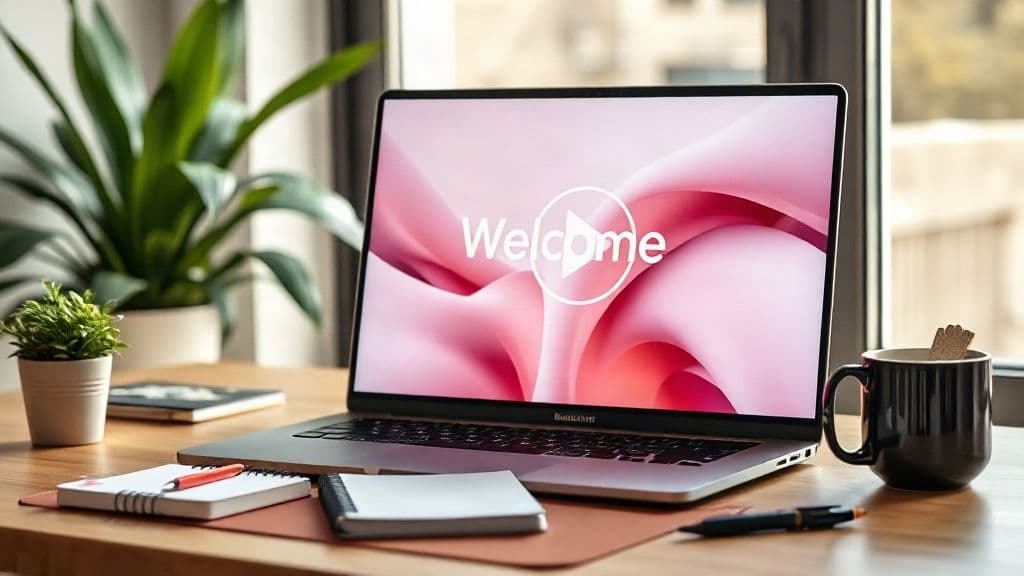
A welcome video for new users should run 30-60 seconds. Greet them by name, confirm what they signed up for, and give them one first step.
For example: "Hi Priya, welcome. Since you're setting up reporting for your team, the fastest first step is connecting your data source. It takes about two minutes, and the button is right on your dashboard."
Send it within minutes of signup, while intent is highest. Skip the feature tour. One action is enough.
First-value nudge (user hasn't done the key action)
Every product has an action that predicts whether a user will stick: creating a first project, connecting an integration, inviting a teammate. If a user hasn't done it after 24-48 hours, send a user activation video focused on that single action.
Keep it under 45 seconds. Use their name, name the action, and show the screen where it happens. Don't re-explain the product. They already signed up, so they just need help taking the next step.
Stalled trial or account check-in
Halfway through a trial, some users go quiet. A short check-in from your customer success team can reopen the conversation. Acknowledge that they haven't gotten far, ask what's in the way, and make replying easy, with a reply-to email or a link to book a call.
The tone should be human and low pressure. The same approach works for paid accounts with low seat adoption or a drop in usage.
Upgrade or renewal moment
When a team hits a plan limit or a renewal date approaches, a personalized video can tie the next step to real progress. Mention what they've set up, what the next plan or renewal unlocks for their goal, and what to do next.
Use actual usage data from your product, and only say what you can verify. A brief thank-you and a clear next step beat a hard sell.
What to personalize beyond the first name
The name earns attention. The rest earns action. For customer onboarding personalization, three variables do most of the work:
- Company. Mentioning the company name, industry, or team size makes examples feel relevant instead of generic.
- Plan. A trial user, a paid user, and an enterprise admin have access to different things. Don't point anyone to a feature they can't use.
- Goal. If your signup form asks "What do you want to do first?", the answer is your most valuable variable. It decides which next step the video recommends.
Role and behavior (what they've already done in the product) can help too. But keep it to two or three variables per video. The more you add, the more brittle your setup becomes.
A useful rule: personalize what changes the next step, not what merely decorates it. If you don't have goal data yet, add a single-select question to your signup flow.
How to automate it from your signup and product data
Automation is what makes this practical. Recording individual videos for each signup doesn't scale, but a system built on your existing data does.
- Define your triggers. Start with signup, no key action after 48 hours, low usage at mid-trial, and plan limit reached.
- Capture the fields. Make sure name, company, plan, goal, and role live in your CRM or product analytics, and can be passed to your email or messaging tool.
- Write one script per moment. Add a name placeholder, and create variants by goal where it matters. Keep each under a minute.
- Generate the videos. Record once per script and produce a personalized version for each user.
- Deliver where users already are. Email is the default, and WhatsApp or LinkedIn can work for some audiences. You can also link the video from an in-app message.
- Suppress when done. Once a user completes the action, stop the nudge. Sending a reminder for something they've already done is worse than sending nothing.
This is where an AI personalized video tool fits. Personaliz.ai can generate a named welcome video from one recording, using voice cloning and lip-sync so each user hears their own name. For users with different goals, interactive branching video lets viewers choose their path, such as setting up reporting or inviting their team, and see the next step that fits.
Whichever tool you use, start small. Automate the welcome video and one first-value nudge before building out the rest.
Metrics to track (activation rate, time to first value, trial conversion)
Tie every video to a metric, or it becomes a nice-to-have.
- Activation rate. Define activation as a specific action or set of actions, not just a login. Then compare the share of users who activate after getting the video against a group that didn't.
- Time to first value. Measure the median time from signup to the key action. A good nudge should shorten it.
- Trial conversion. Trial-to-paid is the business outcome, but it lags. Check activation first, then conversion.
Supporting metrics like play rate, watch time, and click-through to the next step are diagnostic. They tell you whether the video or the call to action needs work, but they aren't goals.
If you can, hold out a small group that doesn't receive the video. Without a comparison group, you can't tell whether the video helped or whether those users would have activated anyway. Change one variable at a time, such as length, sender, or timing, so you know what moved the numbers.
FAQ
How long should an onboarding video be?
Aim for 30-60 seconds for welcome and nudge videos, and under 45 seconds when the video covers a single action. If you need more than a minute, consider splitting it into separate videos tied to separate moments. Longer walkthroughs are better placed in a help center, with the short video linking to them.
Should onboarding videos come from the founder or the CS team?
Both can work. A founder-led welcome video suits early-stage products and smaller customer bases, where it signals that someone senior cares. As you grow, CS or onboarding specialists are better for nudges and check-ins, because replies and follow-ups will route to them. Whoever appears on screen should be the person who can answer the reply.
Email or in-app: where should the video go?
Use both for different jobs. Email reaches users who haven't returned to the product, which makes it the right channel for welcome videos, nudges, and stalled-user check-ins. In-app works better when the user is already logged in and the video can sit next to the action it explains. Start with email, then add in-app prompts for your most important step.
Start with one moment
You don't need a full lifecycle program on day one. Pick the moment where your users drop off most, write a 30-second script, personalize it with name and goal, and compare activation against a holdout group. Then expand from there.